
Timelines
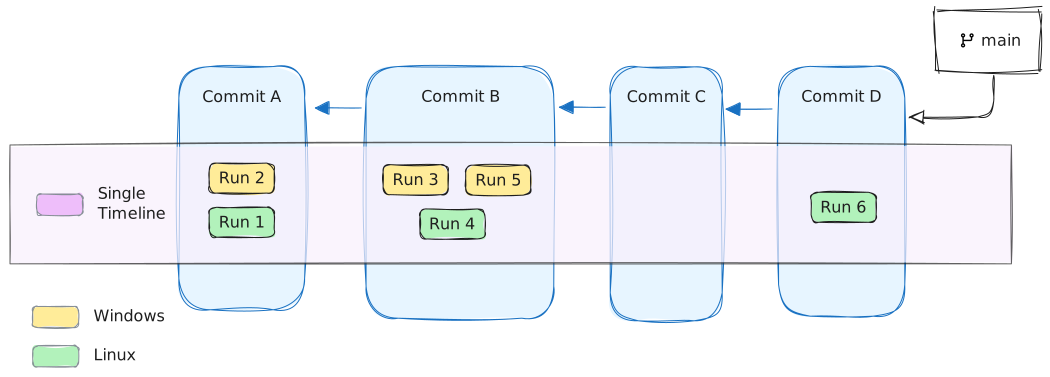
Let’s say we run tests on both Linux and Windows machines:
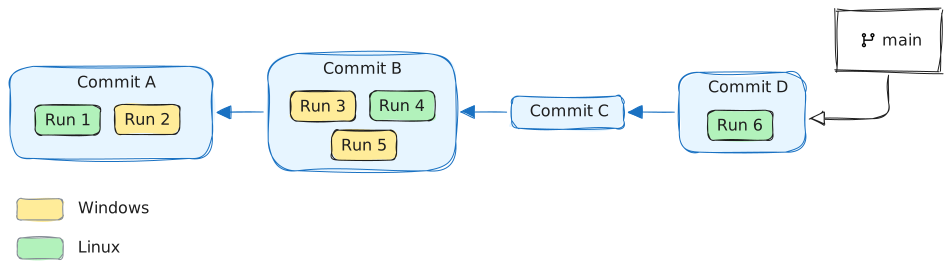
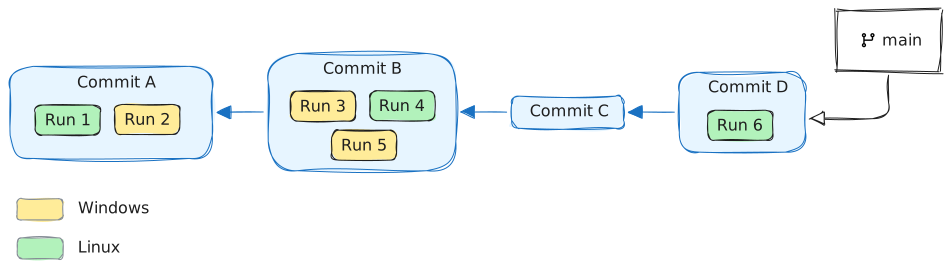
In this case, we’re likely interested in exploring test histories for Windows and Linux independently.
Timeline is a slice of all runs, filtered by environments. Flakiness.io automatically creates a separate timeline foreach unique execution environment.
For the example above, we would end up with 2 timelines by default: one for Windows and one for Linux.
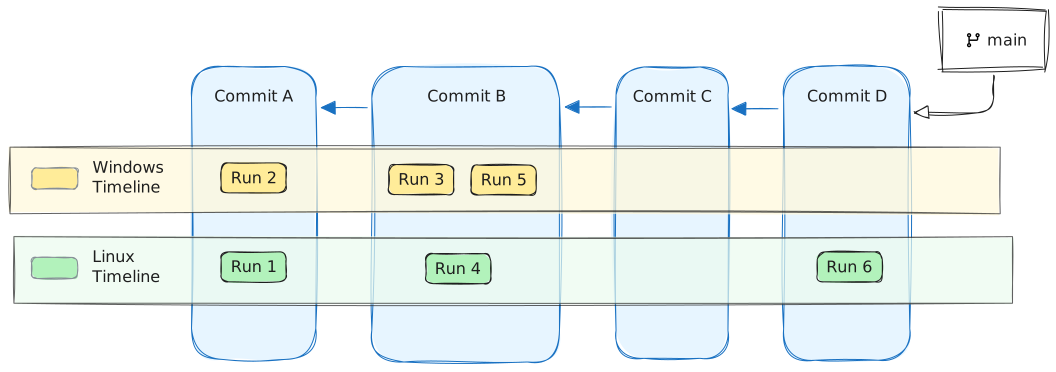
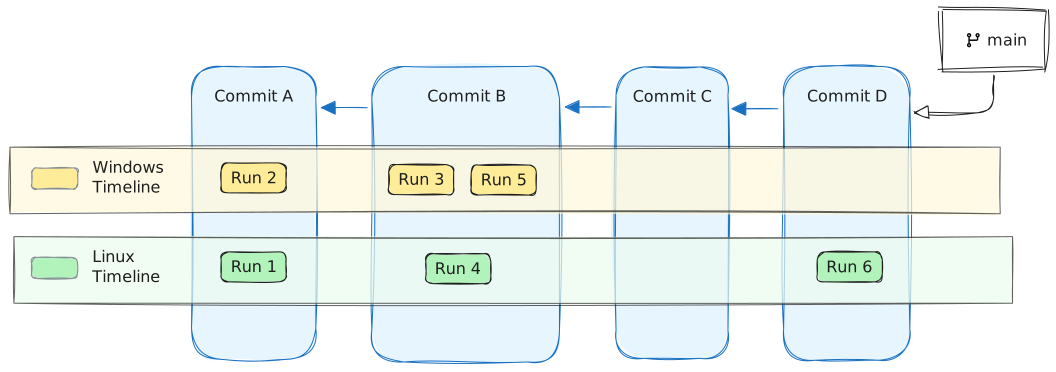
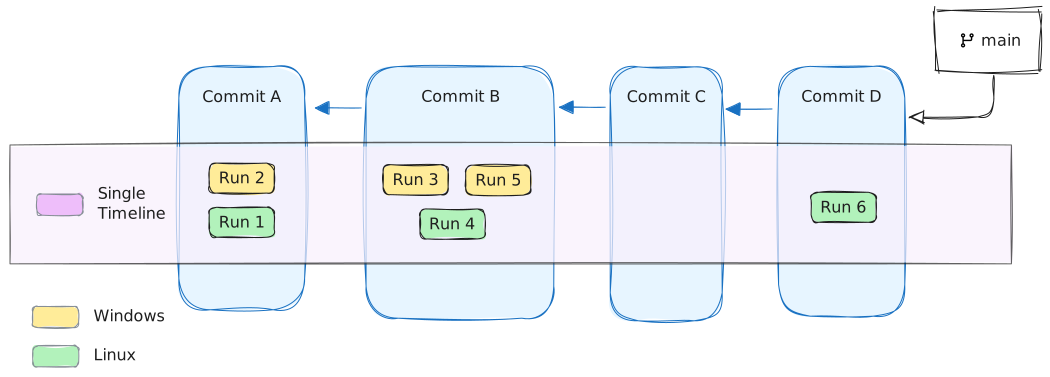
The website UI allows defining custom timelines. For example, we can create a single timeline that contains all runs:
Example
Section titled “Example”Let’s take a look at https://flakiness.io/flakiness/demo-timelines
This project has a single end-to-end test that is executed across 3 different browsers using Playwright Test’s “projects” feature.
We also configure the Flakiness.io Test reporter to automatically collect browser versions and record them as
an environment property using the collectBrowserVersions: true option.
Looking at the test history, we can clearly see that once the browsers get updated (as a result of a Playwright Test version bump), the test starts failing on a new version of Chromium.
If you open the Timeline Editor and merge environments across different browser versions (by removing the browser key from environments),
you will end up with only 3 timelines: one for each browser type: